Athletic Bee: activewear videos beside tagged products
Updated
This walkthrough describes the product photography and shoppable video feed visible in the saved storefront screenshots below.
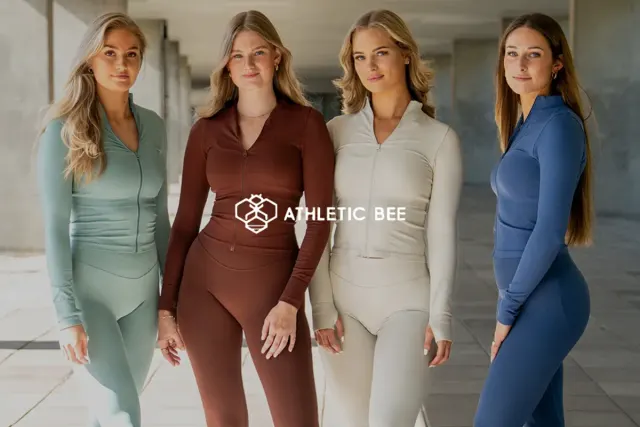
From product photography to movement
The Athletic Bee screenshots show two complementary forms of product presentation. Product cards display leggings and coordinated activewear sets against a simple background. The video feed adds gym, walking and try-on contexts, with product names shown on the cards.
For an activewear store, those contexts can help a shopper understand how a garment looks during use. A clip should supplement the size guide and material information rather than ask a viewer to infer every specification from a model.
Make each video answer a question
A useful activewear clip can demonstrate how an outfit looks from different angles, where the waistband sits or how two pieces work together. Choose the question first, then film the movement that answers it.
In this example, the visible product labels include leggings and sports bras. That makes the relationship between a clip and a product explicit. If you show several pieces in an outfit, tag the relevant products and check each destination before publishing.
Avoid turning a visual demonstration into an unsupported performance claim. A single clip does not establish durability, compression or suitability for every body type. Add relevant fit context in the product information, and use clear captions when a spoken explanation matters.
Adapt the feed to the page
A homepage feed can introduce a range; a product page should stay focused on the item being considered. Reusing the exact same selection everywhere may leave visitors watching products unrelated to the page they opened.
To try a focused implementation, create a video feed, select a few matching clips and preview the page on a phone. Check that controls, product labels and the page’s main purchase button remain usable. Available placement controls depend on the selected plan.
Evaluate an activewear video test
Keep a record of the page and clips you changed. Compare similar traffic periods, and track completed purchases alongside viewing activity. If fit-related returns are an outcome you want to study, wait for the relevant delivery and return windows before drawing a conclusion.
These screenshots show the presentation pattern, not an experiment or an analytics export. For your own measurement plan, use the video testing checklist and document both the result and any change to mobile loading performance.
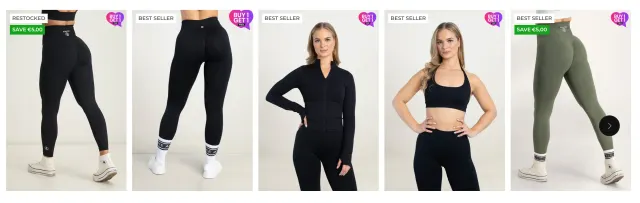
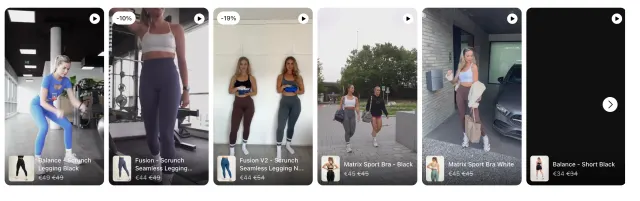

Let shoppers see your products in action
Add product demos and customer videos to your Shopify store. Start free or try a paid plan for 14 days.
Start 14-day trial