TerraTaste: a kitchenware product video example
Updated
This is a suggested kitchenware video setup illustrated with TerraTaste imagery. No measured results or merchant quotation are presented.
Start with a product question
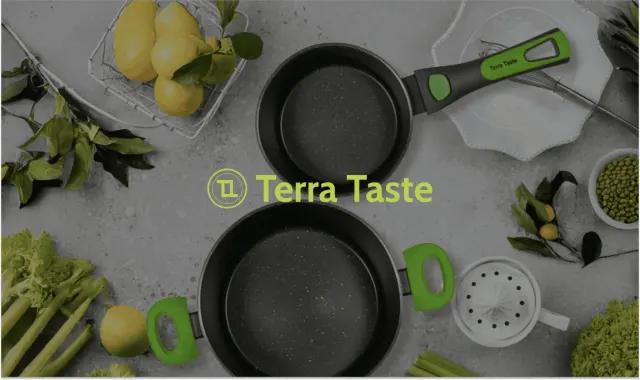
The TerraTaste imagery shows cookware and kitchen tools. For this type of product, a useful video starts with a practical question: how large is the item, how is it handled or which parts are included?
This example outlines a possible video setup for a kitchenware store. Choose demonstrations that make the product easier to understand, and keep specifications such as dimensions, materials and care instructions available as text.
Show handling clearly
Film the item at a useful angle and scale. An overhead view can show the working surface of a pan or board; a side view can show depth, handles and how someone holds it. If the clip includes several utensils, identify the item that the product page sells.
Keep the demonstration representative. A short video does not by itself substantiate claims about durability, safety, heat resistance or compatibility. Use the manufacturer’s specifications for those details and avoid implying that a result applies to every use.
Make a recipe clip useful for shopping
A recipe can provide context, but the product should remain easy to identify. Give the viewer a clear look at the item being demonstrated rather than filling the entire clip with ingredients or edits.
With SwipeUp, tag the relevant product so a viewer can open its details. If the clip features more than one item, add multiple product tags and check that each link matches the footage.
Choose a first placement
Start on the product page where the question arises. A small video feed can group demonstrations without requiring a visitor to leave for a social profile. Preview it in the Shopify theme editor and on a phone before publishing.
For a collection page, choose a clip that helps shoppers compare or understand the range. The collection-page Stories guide covers that setup. Placement controls depend on the selected plan.
Test the idea in your store
Record the page, video selection and observation dates. Compare similar traffic, note any concurrent discount or layout changes, and track completed purchases alongside interaction with the clips.
Look for useful answers as well as sales: are shoppers still asking for a dimension or a missing view? That feedback can tell you what to film next. Use the video testing checklist to keep the hypothesis, result and tradeoffs in one place.

Let shoppers see your products in action
Add product demos and customer videos to your Shopify store. Start free or try a paid plan for 14 days.
Start 14-day trial