Explore how different products can be shown through video. Pick a question your shoppers ask, find a relevant example below, and plan one placement to test in your store.
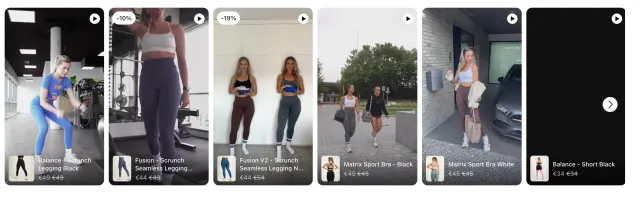
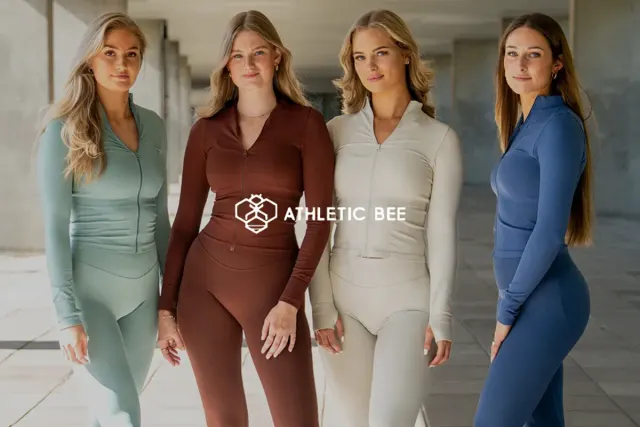
For clothing, a short movement or try-on clip can add context to product photos. See the Athletic Bee example, where video cards identify the products shown. Keep fit and material details in the product information too.
Show the product doing the job a shopper is buying it for. Choose a demonstration that makes the action clear without sound. Treat this as a filming idea, not a promised sales result.
Pick one detail to show closely, such as texture, scale or a moving part. Link the clip to the matching product so the shopper can continue from the demonstration.
 Read
 Read
 Read
 Read
 Read
 Read
 Read
Choose one product page and one question. Use footage you own or have permission to publish, tag the correct product, and preview the result on a phone. Check that the video controls and the page’s purchase button remain easy to use.
Record the page, clips and launch date. Compare similar traffic periods and check mobile loading before and after the change. Viewing activity alone does not prove that a video caused more sales.
