
What Is Shoppable Video? A Shopify Guide
Shoppable video combines video content with a product link or shopping control. A shopper can watch an item in use and open the relevant product without searching the catalog again. The exact journey depends on the player: some show a product panel, some link to a product page, and others support adding an item to the cart.
For a Shopify merchant, the first decision is where that experience should live. A product gallery, an Online Store widget and a video in the Shop app are different placements with different setup steps.
Three ways to put video near a purchase
Native product gallery video
A gallery video sits with your product photos. It is a practical option for a demonstration of the product already on the page. Shopify supports uploaded videos and supported external video sources; display depends on your theme. Consult Shopify’s media types before preparing files.
The surrounding product page provides the buying controls. The presence of a video alone does not mean the player contains product tags or an in-player cart.
A shoppable widget on your Online Store
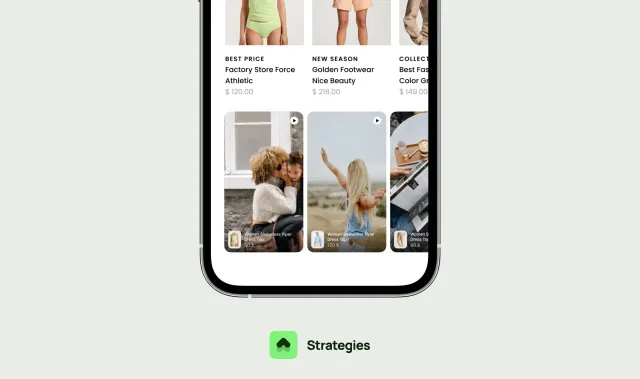
A widget can present several clips in a feed, Stories layout or overlay. Product tags connect each clip to an item, which is useful when a video shows a collection or when the viewer has not chosen a product yet.
SwipeUp’s Shopify app is designed for this storefront workflow. Our setup guide shows how to create a feed, attach products and add it to a Shopify theme. This guide describes Shopify support; it does not document an installation for WooCommerce or a custom commerce platform.
For a concrete app-selection example, read SwipeUp vs Tolstoy for Shopify, including the different usage meters to check before subscribing.
Video on the Shop channel
Shopify also documents video and shoppable video blocks for product detail pages in the Shop app and on shop.app. Those templates are managed separately from your Online Store theme. Configuring one does not establish that the other has the same placement. See Shop’s product page documentation.
What should a shoppable video show?
Choose a question that is difficult to answer with a still image. Movement, scale, texture and a sequence of steps are useful starting points.
For example, a fictional cookware store might show how a lid closes, how much food fits inside, and how the handle is held. Each clip should connect to the demonstrated pan. A generic brand montage may be attractive, but it does less to answer those specific questions.
Customer footage can add another perspective when it shows actual use. Get permission before republishing it, retain any needed disclosure, and avoid editing a review into a claim the customer did not make. Use the UGC publishing workflow to keep those checks organized.
Follow the shopper’s complete path
A useful test starts before playback and ends after the product action:
- Can the shopper tell what the clip will explain from its thumbnail or opening frame?
- Is the demonstration understandable without audio?
- Does the product tag name the item shown?
- Can the shopper inspect available options and price?
- Does adding to cart behave as expected with the theme’s cart?
- Can the shopper close the video and continue reading the page?
Do not assume that “shoppable” means checkout completes in one tap. Test the actual steps, including variant selection and any cart confirmation.
How to evaluate a video app
Compare the features required for your first placement: widget formats, page targeting, product tagging, customization, analytics and view limits. Review current costs rather than relying on an old roundup. The SwipeUp pricing page separates monthly billing, annual totals and plan limits.
Test the player on your own theme with the other apps enabled. A working demo store cannot prove how an overlay will interact with your chat bubble or sticky add-to-cart button. Include mobile loading, captions, keyboard controls and unavailable products in the trial.
If your only need is one gallery demonstration, try native media first. If your problem is broader, the Shopify app selection guide helps distinguish video from search, support, reviews and retention tools.
How do you know whether it helps?
Video opens and watch time describe engagement. Orders associated with a video describe an attribution rule. Neither alone proves the video caused additional purchases.
Choose a primary store outcome before publishing, record the test period and traffic, and check whether promotions or other page changes occurred at the same time. If you can run a randomized experiment, compare eligible visitors under equivalent conditions. Otherwise, treat before-and-after changes as directional evidence with those limitations. See seven practical tests.
Common questions
Is an embedded YouTube video shoppable?
An embed can demonstrate a product, but it does not automatically connect to your Shopify catalog or cart. Check the specific controls and product destination offered by the integration.
Can I reuse a social video?
You need suitable rights for the intended use, a usable original file and content that still matches the product. Social publication alone is not your approval record for storefront reuse.
Will shoppable videos increase conversion?
They can help shoppers understand a product, but results depend on the content, placement, traffic and buying experience. Measure your own store rather than treating another merchant’s result as a guarantee.
Let shoppers see your products in action
Add product demos and customer videos to your Shopify store. Start free or try a paid plan for 14 days.
Start free