
10 Shopify Apps for Sales: A Selection Guide
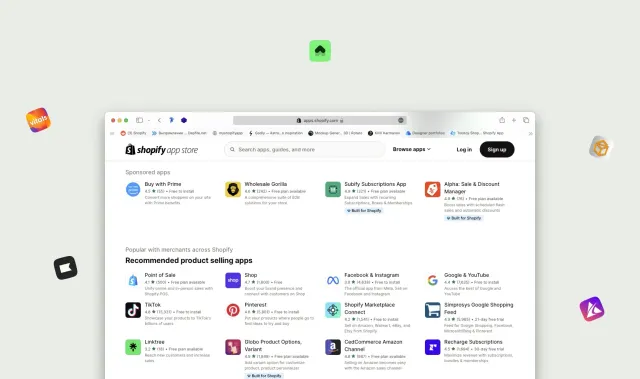
The best Shopify app for increasing sales depends on where shoppers get stuck. A search problem, an unanswered product question and a weak repeat-purchase offer need different tools. Choose the job first, then evaluate an app against it.
These ten options cover distinct jobs. This is an editorial selection based on their official Shopify App Store listings, reviewed on September 19, 2026; it is not a benchmark or a ranking by measured sales lift. SwipeUp publishes this guide and is included as the shoppable video option. The links below lead to the current listings, where you can check pricing, permissions and compatibility.
Choose a category before an app
Use customer questions and store analytics to write a single problem statement. For example: “Visitors search for a material name that our catalog does not use,” or “Shoppers cannot tell how large the product is.” Set an outcome you can measure before installing anything.
Check whether your theme or current apps already solve the problem. Overlapping popups, chat widgets and recommendations can complicate both the shopping experience and your results.
1. Shopify Search & Discovery: product discovery
Shopify Search & Discovery provides search customization, filters, synonyms and product recommendations. Consider it when shoppers know what they need but struggle to find it in your catalog.
Trial check: use actual customer search terms, including a synonym your product titles do not contain. Confirm the results and filters work with your catalog and theme rather than assuming installation alone fixes discovery.
2. Shopify Bundles: fixed sets and multipacks
Shopify Bundles supports fixed bundles and multipacks with inventory updates. It is a candidate when customers naturally buy a set or several units together.
Trial check: place a test order with variant choices and inspect component inventory and fulfillment. Compare contribution margin after any bundle discount; a larger cart is not automatically a more profitable order.
3. Shopify Inbox: conversations on the store
Shopify Inbox gives merchants a way to handle shopper conversations. Consider a chat workflow when recurring pre-purchase questions prevent customers from choosing a product.
Trial check: send realistic questions from a phone and verify the response process, product context and handoff. A visible chat entry point needs an owner and a clear expectation about when replies arrive.
4. Shopify Forms: customer information collection
Shopify Forms supports forms for collecting customer information and building marketing lists. Use it for a defined signup or lead-capture flow.
Trial check: submit the form, confirm the captured information reaches the intended workflow, and check the mobile experience. Decide what the visitor receives after submitting; collecting an address without a useful follow-up is an incomplete process.
5. Klaviyo: lifecycle messaging
Klaviyo offers email and other messaging workflows connected to customer data. Evaluate it when your team needs segmentation and ongoing customer communication beyond a one-off campaign.
Trial check: preview a flow with test profiles, inspect consent handling and verify that events reach the correct audience. Estimate costs at your real list size and sending volume using the current listing and plan details.
6. Judge.me: product reviews
Judge.me supports collecting and displaying product reviews. Consider it when shoppers need accessible feedback from customers who have used the item.
Trial check: review the request email, moderation workflow and product-page display. Make sure the team can handle critical feedback as well as positive reviews. Do not make rewards conditional on a positive rating.
7. Tidio: a broader support workflow
Tidio combines live chat with support automation and help-desk features. Compare it with a simpler inbox when routing and repeated support questions require a more structured workflow.
Trial check: give the system a question it cannot answer and verify the human handoff. Treat Tidio and Shopify Inbox as alternatives to evaluate for the job, rather than automatically running competing chat widgets together.
8. PageFly: landing page building
PageFly provides a page-building workflow for Shopify. Consider it when a campaign needs a layout your existing theme cannot reasonably provide.
Trial check: build one representative page and check navigation, product options, cart behavior and mobile loading. Include the time required to maintain the page when prices, stock or the theme change.
9. LoyaltyLion: loyalty and referrals
LoyaltyLion provides loyalty rewards, tiers and referral features. Evaluate it when repeat purchases are plausible for your catalog and the team can maintain a clear rewards program.
Trial check: calculate the cost of earning and redeeming a reward, then test the customer journey. Compare repeat-purchase behavior and margin rather than counting enrolled members as the final outcome.
10. SwipeUp: shoppable product videos
SwipeUp adds product-tagged video through Stories, Feed and Overlay formats on Shopify. Consider it when a demonstration or customer clip can answer a buying question that photos leave open.
Trial check: tag a product, add a feed to one template and follow the mobile video-to-cart journey. Start with the implementation guide, review current SwipeUp plans, and use the video test checklist to define the outcome.
Run a trial you can interpret
Before approving a subscription, write down the problem, current baseline, monthly cost at expected usage, responsible teammate and removal plan. Review requested data access. Check that uninstalling or disabling the app will not leave an abandoned customer workflow.
Change one meaningful part of the store at a time. Record the dates, affected pages and any concurrent promotion. Verify the actual buyer journey on mobile, including failures, rather than judging only an app’s dashboard.
At the end of the trial, decide whether the feature is used, solves the original problem and is worth the ongoing cost. Keep the evidence even when the answer is no; it will help you avoid repeating the same experiment with a different app.
Common questions
Should I install all ten apps?
No. This list spans different needs and includes alternatives. Choose the smallest set that addresses your store’s current problems without duplicating existing features.
Which app guarantees more sales?
None of these tools can guarantee an outcome for every store. Content, traffic, product demand, setup and execution all affect the result.
Why are there no fixed prices in the comparison?
Pricing can depend on contacts, usage, orders or plan features. Use the linked official listings and the subscription confirmation for your expected usage rather than budgeting from an old price snapshot.
Let shoppers see your products in action
Add product demos and customer videos to your Shopify store. Start free or try a paid plan for 14 days.
Start free