
How to Find UGC Creators for Your Shopify Brand
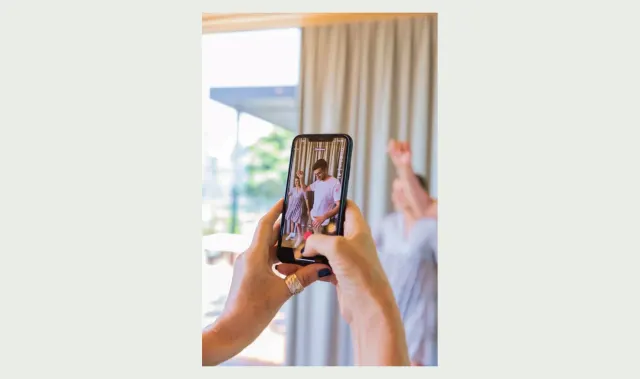
To find a UGC creator for your Shopify brand, start with the video your product page needs. A creator who can clearly demonstrate a feature may be a better fit for that job than a larger account whose audience will never see the footage on your store.
Separate two purchases: content production and distribution to an audience. You may need one or both. The brief, selection criteria and measurement should reflect which service you are buying.
Write the brief before searching
Describe the product, the shopper’s question and the intended placement. Include the action that must be visible, the format, deliverables, deadline and review process. State whether the creator must publish the clip on their own account.
Here is an illustrative brief for a fictional travel bag:
Produce one vertical demonstration showing a laptop going into the bag and the main compartment closing. Show the bag being worn so a shopper can judge scale. Deliver an edited version with captions and a clean version. The intended use is our Shopify product page. Please quote production, the agreed period of storefront use and one revision separately. Social publication and paid advertising are outside this brief.
Adapt the terms with the creator before commissioning the work. Do not ask them to repeat a claim they cannot verify or imply they used a product they have not tried.
Build a small, relevant shortlist
Start with existing customers who already explain the product well, creators whose demonstrations you can inspect, and recommendations from partners in your category. Search for the specific activity or product problem, not only the broad label “UGC creator.”
Watch complete videos. A polished portfolio cover does not show whether a creator can frame a close-up, explain a sequence or capture clear speech. Look for examples similar to the task you are commissioning.
For affiliate relationships, Shopify Collabs provides recruiting and invitation workflows. Shopify documents browsing or searching in the Recruiting area and inviting creators with an offer. Check the current Collabs recruiting guide for availability and steps. An affiliate arrangement and a commissioned content license still need clear, separate expectations.
Use a practical selection rubric
Rate each candidate against the same brief. You can use “clear evidence,” “needs clarification” and “not demonstrated” instead of inventing a precise numerical score.
- Product understanding: can they explain the use case without relying on generic praise?
- Demonstration quality: can a viewer actually see the relevant feature or action?
- Audio and captions: is the explanation understandable on a small, muted screen?
- Delivery reliability: are scope, timing and revision expectations explicit?
- Reuse terms: are destinations, duration, editing and advertising permissions clear?
- Audience fit: if distribution is part of the job, does the audience match the intended buyer?
Follower count belongs in the last question, not as a shortcut for all the others. For a storefront-only asset, inspect the content itself and the terms of use first.
Send a specific first message
Explain why you chose the creator and ask for the information needed to decide. A message template you can adapt:
Hi [name], your demonstration of [specific task] clearly showed [relevant detail]. We are looking for a video that answers [shopper question] about [product]. It would appear on our Shopify product page. Could you share your availability and a quote for [deliverables], including the usage period and revision terms? We can send the full brief and product details before you decide.
Keep this as an individual invitation. Do not send a generic request for a positive review or assume a gifted product purchases unlimited work.
Run a paid pilot before a large batch
Commission one representative assignment with agreed compensation and deliverables. Review whether the creator followed the brief, whether the product is shown accurately, and whether feedback can be resolved within the agreed revision process.
A pilot can expose missing instructions. If several creators misunderstand the same shot, improve the brief before blaming the candidates. Keep a record of accepted files and approvals using the UGC collection workflow.
When a commercial relationship affects an endorsement, plan disclosure as part of the deliverable. The FTC’s endorsement guidance explains the US framework. Do not remove a required disclosure while adapting a social clip for a storefront.
Judge the clip in its final placement
Upload the approved asset, attach the correct product and preview it at widget size. Verify captions, product controls and the opening frame. The SwipeUp installation walkthrough covers this stage.
Then distinguish delivery quality from business results. A creator can meet a production brief even when a placement experiment is inconclusive. Use defined video tests to assess the storefront, and use delivery evidence to decide whether to commission the creator again.
Common questions
Do creators need a large audience?
Not for every assignment. If you are buying content for your own product pages, demonstration quality and usage terms matter directly. Audience size becomes more relevant when publication to that audience is part of the agreement.
Should I ask for raw files?
Ask before agreeing the scope. A clean or raw version can make future edits easier, but it may be a separate deliverable with separate terms. Do not assume it is included.
Can one brief cover every product?
Reuse the structure, then change the buying question and shot list. A useful template creates consistency without forcing every product into the same demonstration.
Let shoppers see your products in action
Add product demos and customer videos to your Shopify store. Start free or try a paid plan for 14 days.
Start free