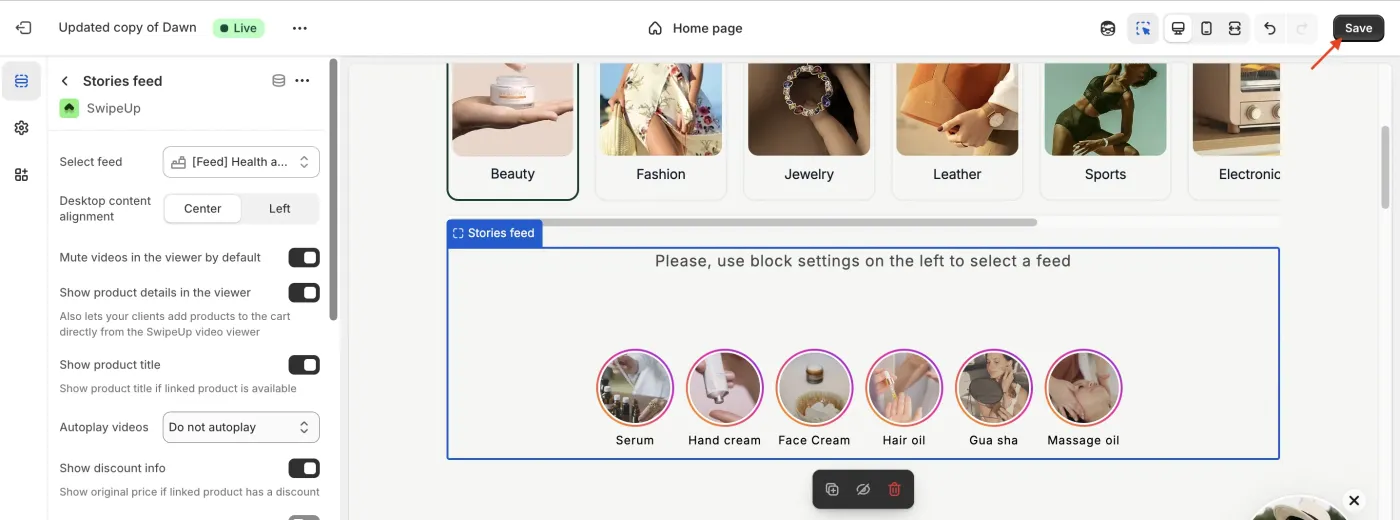
How to Change the Background Color of the Homepage Carousel
Changing the Background Color of the Homepage Carousel
You can change the background color of the SwipeUp video carousel section on your homepage using the Shopify Theme Editor. This lets you match the carousel background to your store design.
Step 1: Open the Theme Customizer
From your Shopify admin, go to Online Store > Themes and click Customize to open the Theme Editor. Navigate to the homepage.
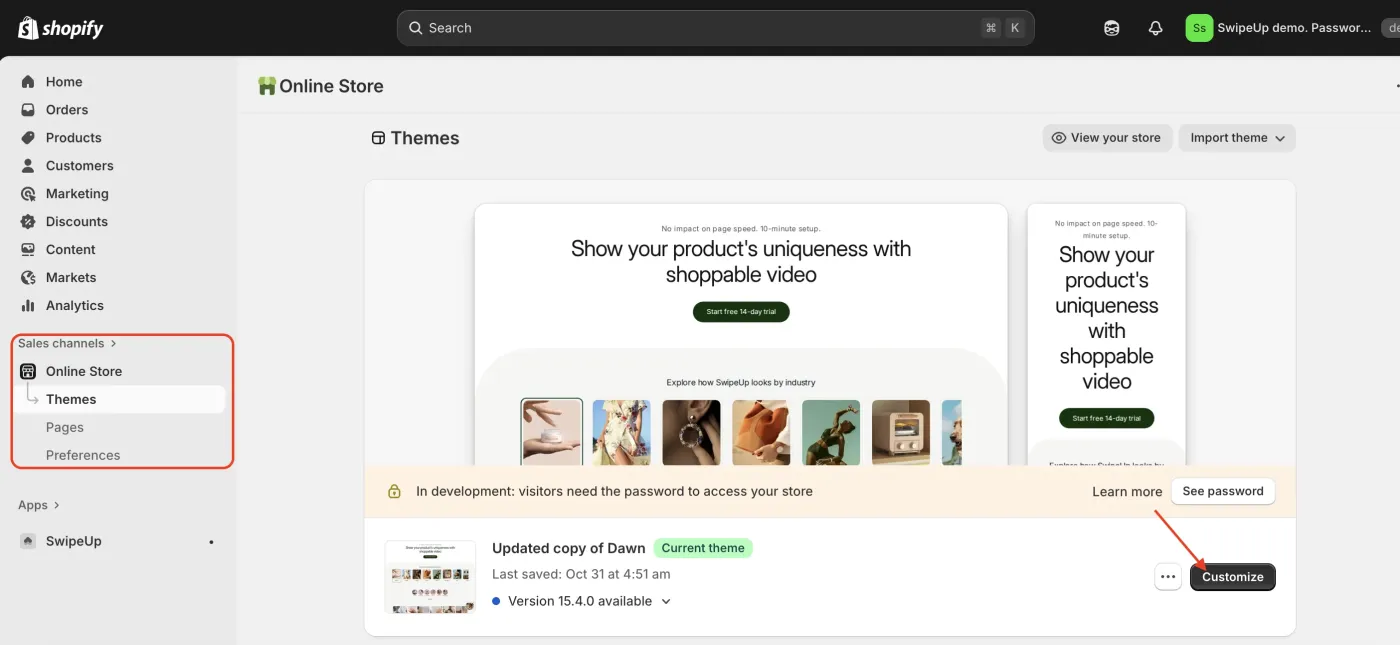
Step 2: Select the SwipeUp Section
In the Theme Editor sidebar, click on the SwipeUp carousel section to open its settings.
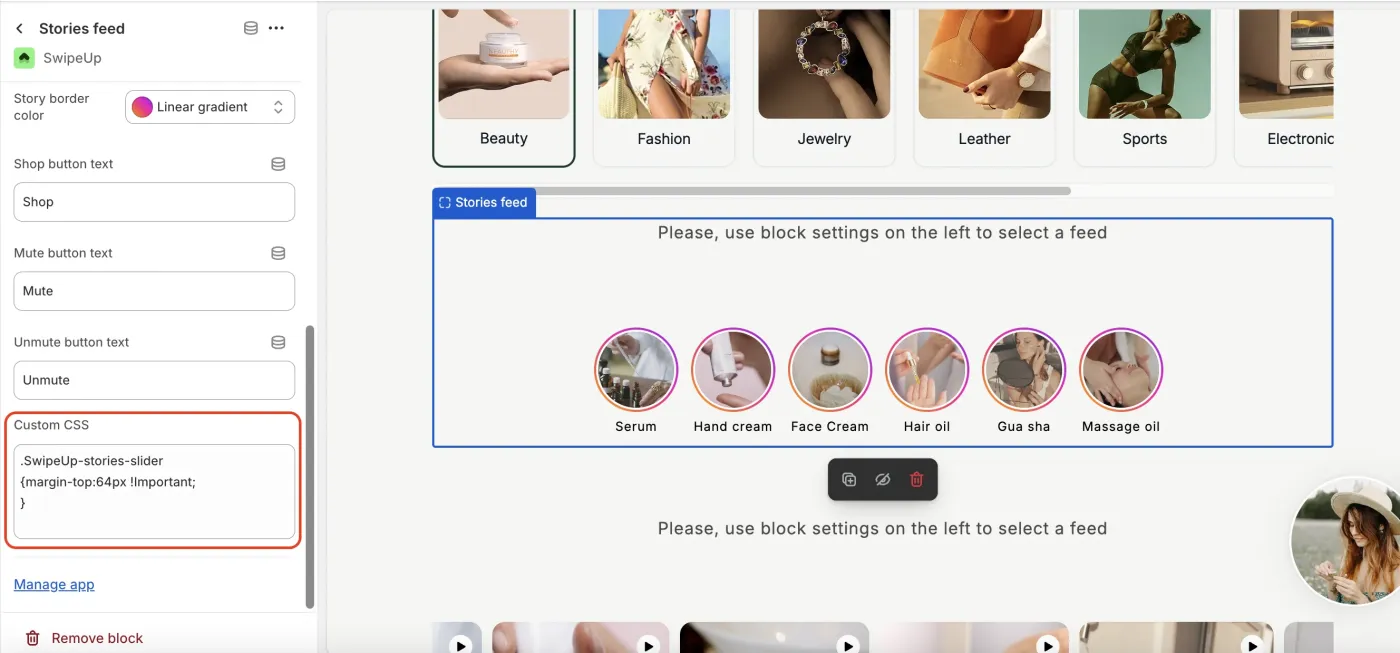
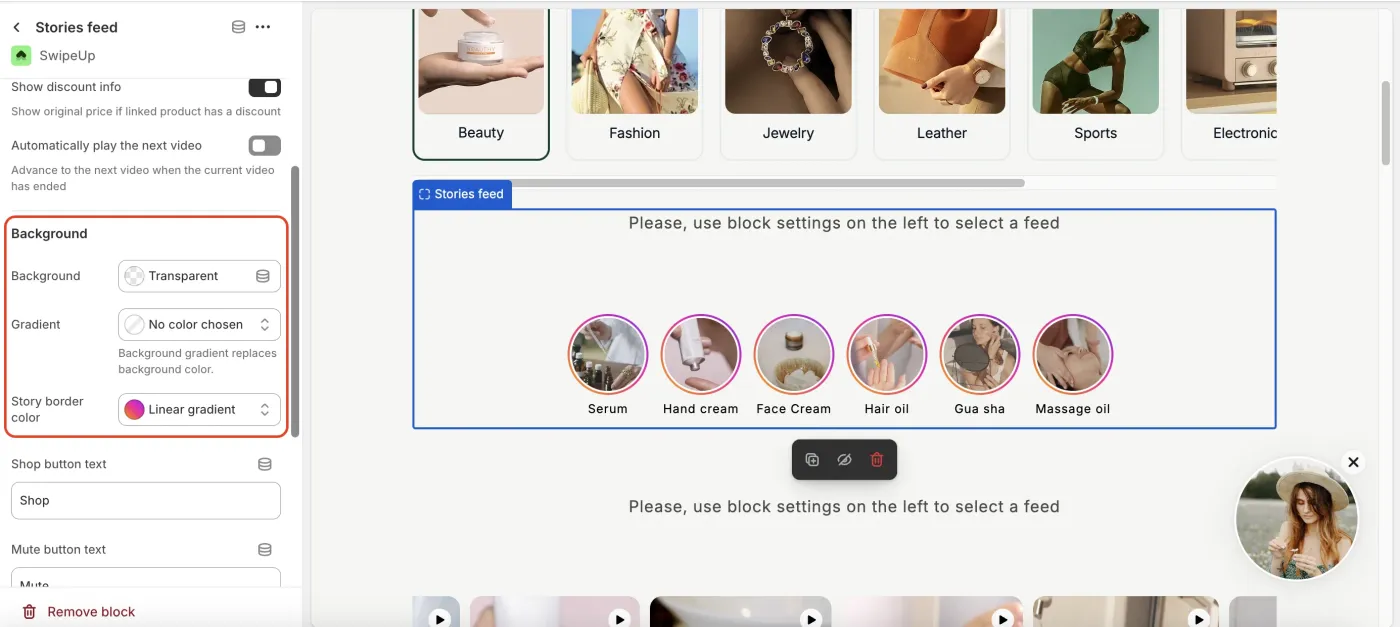
Step 3: Open Background Settings
Locate the Background settings within the section options. Here you can choose from several background options:
- Solid color — Select a specific color using the color picker or enter a hex code.
- Gradient — Apply a gradient background with two or more colors.
- Transparent — Set the background to transparent so the page background shows through.
Step 4: Save
Click Save in the Theme Editor to apply the new background color. The change will be visible on your storefront immediately.